You took a great photo. The framing is perfect. The moment is real. But somehow, the colours look flat, the background is distracting, and the lighting is just slightly off. Sound familiar?
Finding the best photo editing app can transform an average image into a professional looking photo by improving colours, lighting, composition, and overall visual impact in just a few taps.
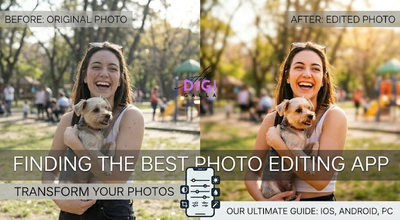
The difference between a forgettable photo and one that stops someone to scroll is almost always the edit and the app you use to make that edit.
There are hundreds of photo editing apps available, each claiming to be the best. Some are genuinely brilliant. Many are overhyped. A few look good in screenshots but fail in real use.
We tested the top apps across Android, iPhone, and PC for beginners, for professionals, for social media creators, and for photographers. This guide gives you a straight answer on which photo editing app is actually best for your specific situation.
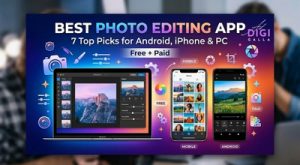
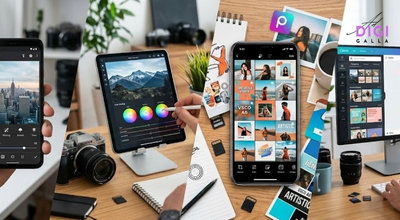
Whether you need the best photo editing app for Android, iPhone, social media content, professional photography, or AI powered enhancements, the options below offer something for every editing style and skill level.
QUICK SUMMARY
- Snapseed is the best 100% free photo editing app no ads, no subscriptions, no hidden costs.
- Adobe Lightroom Mobile is the best app for professional level editing and RAW photo support.
- VSCO is the best choice for consistent Instagram aesthetics and film style presets.
- Picsart is the best AI powered editor for creative social media content and background removal.
- Canva is the best option for beginners who want photo editing combined with graphic design.
- The Best photo editing app depends on your goal: casual editing, professional photography, or social media content creation.
What Makes a Great Photo Editing App?
Before seeing the list, here is exactly what we evaluated each app on:
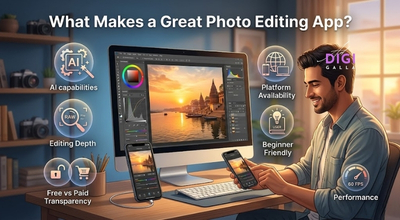
- Editing depth – Does it go beyond basic brightness and contrast? Can it handle selective edits, masking, curves, and RAW files?
- AI capabilities – Does it use AI in a way that actually saves time and improves results, or is it just a marketing term?
- Free vs paid transparency – Is the free version genuinely usable, or is it a pay-to-use trap?
- Platform availability – Does it work on Android, iPhone, and PC, or is it locked to only one platform?
- Beginner friendly? – Can a beginner get good results quickly, or does it require hours of tutorials?
- Performance – Does it run smoothly on mid range Android devices, which is the reality for most Indian users?
With those six criteria in mind, here are the 7 best photo editing apps.
7 Best Photo Editing Apps
1. Snapseed – Best Free Editing App Overall
Available on: Android, iOS
Price: 100% Free – no ads, no in app purchases, no subscription
Best for: Beginners and intermediate users who want professional results without paying anything
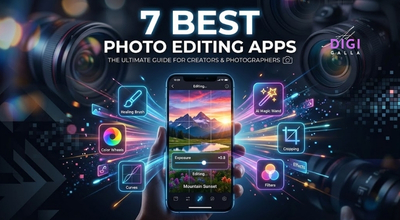
Snapseed is one of the most capable free photo editors available. It offers a full professional editing toolkit including selective adjustments, curves, healing brush, perspective correction, RAW file support, and over 29 tools and filters, all completely free with zero advertisements.
Snapseed’s non-destructive editing means your original photo is never altered, every edit is saved as a separate layer you can go back and change at any time. This puts Snapseed ahead of most paid apps.
What Snapseed does well:
- Selective editing – tap on any specific area of your photo and adjust only that part
- Healing tool – removes unwanted objects, people, or blemishes from photos cleanly
- Stacks feature – lets you save your entire editing process as a reusable template
- RAW support – works with RAW files from DSLR and mirrorless cameras
For users who want a powerful editor without spending money, Snapseed delivers professional features, ease of use, and reliable performance across both Android and iPhone devices.
What Snapseed lacks:
- No AI background removal which are available in paid apps like Picsart and Lightroom
- No generative fill or AI object replacement
- Development updates are slower compared to subscription based apps
Students, casual photographers, Instagram creators on a budget, and anyone who wants the most powerful free photo editor available can use it.
Download Snapseed for Android or for iOS.
2. Adobe Lightroom Mobile – Best for Professional Editing
Available on: Android, iOS, PC, Mac
Price: Free (basic) and ₹800 per month for premium (Creative Cloud)
Adobe Lightroom Mobile is the industry standard for professional photographers, content creators managing RAW workflows
Its cloud based workflow lets you start editing a photo on your phone and finish it on your desktop, all changes sync automatically across every device.
It introduced “Generative Remove” and “AI Lens Blur,” two tools that allow you to remove unwanted elements from a photo and add professional background blur without making it look artificial.
These advanced features are a big part of why professional photographers reach for Lightroom Mobile on their phone or tablet.
What Lightroom Mobile does well:
- RAW editing – supports DNG, Canon CR3, Nikon NEF, Sony ARW, and all major camera formats
- Colour grading – industry standard HSL sliders, tone curves, and split toning
- Cross device sync – edit on phone, continue on desktop seamlessly
- Masking tools – select sky, subject, or specific areas with one tap using AI.
- Presets – save your editing style as a preset and apply it to 100 photos in seconds
What Lightroom Mobile lacks:
- Full RAW support requires a paid Creative Cloud subscription
- Can feel difficult for beginners
- Higher learning curve than Snapseed or VSCO
If your priority is professional image quality, advanced colour control, and seamless editing across multiple devices, Lightroom Mobile remains one of the strongest choices for professional editing.
Pro tip: Lightroom is exceptionally good on iPad or Android tablet. The large screen interface comes close to the full desktop experience better than any other mobile editing app.
3. VSCO – Best for Instagram Aesthetics & Film Presets
Available on: Android, iOS
Price: Free (limited) and ₹2,499/year for VSCO Plus (200+ presets)
Best for: Social media creators, lifestyle bloggers, and anyone building a consistent visual brand on Instagram
Consistent visuals are a major factor in successful social media marketing campaigns.
VSCO built its reputation on one thing – beautiful, authentic, film inspired presets that make photos look genuinely cinematic without looking over edited. It remains the go to app for creators who want a consistent, professional aesthetic across their entire Instagram feed.
Unlike apps that rely heavily on AI automation, VSCO gives you manual control over film grain, fade, skin tone, and colour shifts that mimic the look of real film cameras like Fuji, Kodak, and Ilford.
What VSCO does well:
- Film presets – the most authentic and highest-quality presets of any mobile app
- Feed consistency – apply the same preset across all your photos for a unified visual identity
- Skin tones – VSCO’s colour grading handles skin tones more accurately than most competitors
- Community – built-in creative community for sharing work and finding inspiration
What VSCO lacks:
- Free version is extremely limited, and most quality presets require a paid plan.
- Widespread user complaints about increasingly aggressive paywalling of features that used to be free
- No AI editing tools like background removal or object cleanup
- No video editing
Important warning: Before committing to VSCO Plus, test the free version thoroughly. Many users report that previously free features have been moved behind the paywall in recent updates, so if you are searching for the best photo editing app based on value for money, it is worth comparing VSCO’s paid features against alternatives before subscribing.
4. Picsart – Best AI Powered Photo Editing App
Available on: Android, iOS, Web
Price: Free (with ads) and ₹833/month or ₹4,167/year for Gold
Best for: Social media content creators, small business owners, and anyone who needs AI editing tools
Picsart is the most AI-powered app on this list, and it’s genuinely impressive. It offers automatic background removal, AI object replacement, AI generated stickers, smart cutout tools, and one tap style transfers that can completely transform the look of a photo in seconds.
For small business owners and social media managers who need to produce large volumes of edited content quickly, Picsart’s AI tools can significantly speed up content creation, similar to how AI generated brand identity solutions are transforming modern branding.
What Picsart does well:
- AI background removal – one of the cleanest background removers available on mobile
- Templates – thousands of ready made templates for Instagram posts, stories, ads, and banners
- Collage maker – quickly create multi-photo layouts, product showcases, and promotional posts.
- Video editing – basic video editing and Reels creation alongside photo editing
- Stickers and overlays – massive library of creative elements for social content
What Picsart lacks:
- The free version includes ads and limits several key features
- AI tools can produce formulaic results if not guided with customisation
- Less suitable for serious photographers working with RAW files
- Less precise colour grading compared to Lightroom or VSCO
Despite these limitations, Picsart remains a popular choice among content creators who prioritize AI powered tools, quick edits, and social media friendly features over advanced photographic precision.
5. Canva – Best for Beginners & Non Designers
Available on: Android, iOS, Web (PC/Mac)
Price: Free and ₹3,999/year for Canva Pro
Best for: Complete beginners, small business owners, and social media managers
Canva isn’t technically just a photo editing app, it’s a graphic design platform that includes powerful photo editing tools. But for most Indian small business owners and social media beginners, Canva offers the best combination of photo editing, graphic design, and content creation in a single free tool.
It is especially useful for businesses implementing modern digital marketing strategies that rely heavily on visual content.
Canva’s AI features include background removal, Magic Edit that is AI powered object replacement, and Magic Eraser tools that used to require expensive software or technical expertise.
What Canva does well:
- Ease of use – the simplest interface of any app on this list, zero learning curve
- Templates – the largest template library available, covering every social media format
- All in one – photo editing, graphic design, video creation, and presentation all in one app
- Collaboration – multiple team members can work on the same design simultaneously.
- Free tier – one of the most genuinely useful free tiers of any creative tool
What Canva lacks:
- Not suitable for professional grade photo editing, no RAW support, limited colour grading
- Requires internet connection for most features
- Templates can look generic if not customised well
- Less control over fine photo adjustments compared to Lightroom or Snapseed
While Canva may not be the best choice for professional photo editing for professional photographers, it is one of the most practical choices for users who need a simple all in one platform for editing photos, creating graphics, and managing social media content.
6. Adobe Photoshop Express – Best Free Adobe App
Available on: Android, iOS
Price: Free
Best for: Users who want Adobe-quality tools without the Lightroom subscription cost
Photoshop Express is Adobe’s free, simplified version of Photoshop for mobile. It lacks the full power of desktop Photoshop, but it offers a solid set of tools for quick photo corrections, blemish removal, perspective fixes, and noise reduction, all for free.
What Photoshop Express does well:
- Quick enhancements – One-tap adjustments for exposure, colour, contrast, and image quality.
- Retouching tools – Remove blemishes, smooth imperfections, and apply selective corrections with minimal effort.
- Adobe powered editing – Delivers reliable editing quality in a simple, mobile-friendly interface.
What Photoshop Express lacks:
- Limited advanced editing – It offers fewer professional controls than Adobe Lightroom or desktop Photoshop.
- Some premium features require a subscription – Certain advanced tools and effects are locked behind Adobe’s premium plan.
- Less creative flexibility – It has fewer artistic filters and AI-powered effects than apps like Picsart.
7. Pixlr – Best Free Web Based Editor
Available on: Web, Android, iOS
Price: Free with ads and Paid plans available
Best for: Students, freelancers, and casual users who do most of their editing on a laptop or PC.
For students and freelancers working on shared computers or laptops, Pixlr is the most convenient professional editor available.
Pixlr E, which is the advanced version, offers a Photoshop like experience directly in your web browser, no download, no installation, and a free tier that covers most editing needs.
Prices listed are as of July 2026 and are subject to change. Check each app’s official pricing page for current rates.
Quick Comparison
| App | Platform | Price | Best For |
| Snapseed | Android, iOS | Free | Best free app overall |
| Adobe Lightroom | All platforms | Free/₹800 per month | Professional RAW editing |
| VSCO | Android, iOS | Free/₹2,499 per year | Instagram aesthetics |
| Picsart | Android, iOS, Web | Free/₹833 per month | AI-powered social content |
| Canva | All platforms | Free/₹3,999 per year | Beginners and businesses |
| Photoshop Express | Android, iOS | Free | Quick Adobe-quality edits |
| Pixlr | Web, Android, iOS | Free | Browser-based editing |
The right app ultimately depends on your editing goals, budget, preferred device, and whether you prioritise professional controls, AI features, or ease of use.
Which Photo Editing App Should You Choose?
With so many options, here is a simple decision guide based on your situation:
If you want the best free app with no limitations: Choose Snapseed. It is completely free, has zero ads, and offers more tools than most paid apps.
If you are a professional photographer working with RAW files: Choose Adobe Lightroom Mobile for phone editing and Lightroom Desktop for PC editing, as they remains the best choice for advanced colour grading and professional workflows.
If you create content for Instagram and want a consistent aesthetic: Choose VSCO for the best film presets, but test the free version before subscribing.
If you run a small business and need to create social media posts, ads, and banners quickly: Choose Canva. It combines photo editing with graphic design in the simplest interface available.
If you want the most powerful AI editing tools: Choose Picsart. It offers a wide range of AI tools, artistic filters, and editing features for creating eye catching content.
If you edit on a laptop or PC and need a free Photoshop alternative: Choose Pixlr. It provides an easy to use web based editing experience without the complexity of professional desktop software.
5 Photo Editing Mistakes Most People Make and How to Fix Them
Over saturation – pushing colours too far makes photos look fake and amateur. Increase saturation by no more than 15 – 20 points as a starting rule, then adjust from there.
Over sharpening – too much sharpening creates a harsh, digital look. Use sharpening in small amounts and always check your photo at 100% zoom before exporting.
Ignoring the histogram – the histogram shows you whether your photo is too dark or too bright. Learning to read it takes 10 minutes and immediately improves every edit you make.
Applying the same preset to every photo – presets are starting points, not final edits. Every photo has different lighting, so every preset needs adjustment to fit the specific image.
Editing on a screen with incorrect brightness – editing on a phone with maximum screen brightness makes photos look darker than they are, causing you to over brighten them. Edit at medium brightness or in consistent indoor lighting.
Frequently Asked Questions (FAQs)
- Which is the best photo editing app for beginners in India?
Snapseed is the best editing app for beginners in India because it is completely free, has no ads, works on all Android and iOS devices including budget phones, and offers a simple swipe based interface that beginners can learn in minutes.
- Which is the best free editing app for Android?
Snapseed is the best free photo editing app for Android. It is 100% free with no hidden subscriptions, no in app purchases, and no advertisements. It offers over 29 professional editing tools including RAW support, selective editing, and a healing brush feature that paid apps charge monthly fees for.
- Is Adobe Lightroom Mobile free?
Adobe Lightroom Mobile has a free version that includes basic editing tools and support for DNG files shot within the app. However, full RAW format support for external cameras like Canon, Nikon, Sony and advanced features like cloud sync and premium presets require an Adobe Creative Cloud subscription, which costs approximately ₹800 per month in India. Despite the subscription cost, many professionals consider it the best photo editing app for advanced mobile photography and professional editing workflows.
- Which photo editing app is best for Instagram?
VSCO is the photo editing app which is best for Instagram if you want a consistent, film inspired aesthetic across your feed. Picsart is the best choice if you create varied content like ads, story graphics, and promotional posts. Snapseed is the best free option for editing individual photos to look professional before posting.
- What is the best AI photo editing app?
Outside our main list of seven, Luminar Neo deserves a mention as the best AI photo editor built specifically for desktop, offering tools like Sky AI, Portrait AI, and Relight AI that deliver professional results with minimal manual effort.
For mobile, Picsart has the most comprehensive AI toolkit including background removal, AI object replacement, and style transfer, making it a strong contender for the best photo editing app for creators who rely heavily on AI-powered editing and social media content creation.
- Can I edit RAW photos on my phone?
Yes. Adobe Lightroom Mobile, Snapseed, and Photomator all support RAW photo editing on mobile. Adobe Lightroom Mobile is the most powerful option for RAW editing on a phone, with support for all major camera RAW formats including Canon CR3, Nikon NEF, and Sony ARW.
- Which photo editing app is best for product photography?
For product photography on mobile, Adobe Lightroom Mobile gives the most control over colour accuracy, white balance, and detail.
For quick edits and background removal, Picsart’s AI background removal tool is the fastest option for product images intended for ecommerce listings or social media posts, making it one of the best photo editing app choices for online sellers and digital marketers.
- Is VSCO worth paying for?
VSCO Plus costs ₹2,499/year and is worth it if you are serious about Instagram aesthetics and value high quality, authentic film presets. However, multiple users report that VSCO has been moving previously free features behind the paywall and always test the free tier thoroughly before subscribing to ensure the features you need are included.
Conclusion
The best photo editing app is not the same for everyone, it depends on what you create, where you post it, and how much you want to spend.
For most people, Snapseed is the answer. It is free, powerful, and available on every Android and iOS device with no compromises.
For professional photographers, Adobe Lightroom Mobile is the industry standard.
For social media content creators, Picsart or VSCO deliver the best results depending on whether you prioritise AI tools or aesthetic consistency.
For beginners running a business, Canva is the most practical all-in-one solution.
The best app is always the one you will actually use consistently, pick one, learn it deeply, and focus on developing your editing eye rather than constantly switching between tools.
Whether you’re creating blog graphics, social media posts, or content for websites, combining the right editor with modern AI writing tools can dramatically improve your content creation workflow.
Whether you are a beginner making simple adjustments or a professional creating portfolio-worthy images, choosing the best photo editing app for your workflow can dramatically improve both the quality of your photos and the efficiency of your editing process.