If you’ve just started your Search Engine Optimization journey, the first thing you must master is on page SEO, the foundation of every high performing webpage. Search engines rely heavily on on page elements like content quality, keyword placement, internal links, and EEAT to decide where your page should rank.
You don’t need complicated tools or advanced knowledge. You simply need to understand the essential On page SEO rules and apply them consistently.
This guide breaks down everything in the most beginner friendly way possible.
Understanding Search Intent – The Foundation of Ranking
Before applying any On Page SEO rules, it’s important to understand why people are searching. This is called Search Intent, and Google ranks pages based on how well they match it.
There are 3 main types:
- Informational Intent – Users want to learn something, example: “On Page SEO for Beginners”
- Navigational Intent – Users want a specific website, example: “Google Search Console login”
- Transactional Intent – Users want to take action, example: “Buy SEO tools”
If your content does not match the correct intent, it will not rank no matter how well optimized it is.
That’s why, when applying on page SEO, always create content based on what the user actually wants.
To improve rankings, traffic, and long term visibility, check out DigiAdGalla’s Search Engine Optimization (SEO) services here.
Quick Summary
If you are in a hurry, here is a quick breakdown of On Page SEO:
- Use your keyword in title, URL, and first 100 words
- Write high quality, helpful content for users
- Structure content using proper headings – H1, H2, H3
- Add internal and external links
- Optimize images with alt text
- Improve page speed and mobile experience
- Focus on user experience, not just search engines
Follow these basics consistently, and your rankings will improve over time.
On Page SEO for Beginners
On Page SEO for Beginners simply refers to everything you can optimize directly on your webpage to help Google understand your content correctly.

This includes:
- Keywords
- Meta titles
- Meta descriptions
- Content layout
- Images
- Internal and external links
It’s like arranging your room so everything is clean, organized, and easy to find, people naturally enjoy being there.
For technical foundation, also read What is Technical SEO? A Complete Beginner’s Guide to Improve Website Performance.
How to Find the Right Keywords
Before applying On Page SEO rules, you must know which keywords to target.
Here’s a simple way to do keyword research:
- Use tools like Google Search, Ubersuggest, or Keyword Planner
- Focus on long tail keywords, for example: “On Page SEO for Beginners step by step”
- Check what your competitors are ranking for
- Choose keywords with good search volume but low competition
Also use LSI keywords to make your content more natural and SEO friendly.
Without proper keyword research, even the best content may not rank.
Why On Page SEO Still Matters
Even though SEO keeps evolving, one thing hasn’t changed.
Google still needs clear, structured, and high-quality pages to show in its search results. That’s why learning these on page SEO rules still matters.

If you understand these on-page SEO fundamentals, you can:
- Rank faster
- Attract qualified traffic
- Improve user experience
- Reduce bounce rates
- Increase conversions
And the best part! You don’t need to be an expert, you just need to follow the rules correctly.
Website speed plays a key role, check our Best Web Hosting for WordPress in 2026.
The 14 Essential Rules of On-Page SEO
Below are the 14 essential on-page SEO rules to follow if you want your content to stay structured and algorithm ready.
Rule 1: Use Focus Keyword in the Blog and Meta Title
Your page title and meta title are among the strongest SEO signals.
As a beginner, always include the exact keyword in your title so Google knows what your page is about.
Bonus Tip: Write Click Worthy Titles & Meta Descriptions
Ranking is not enough. People must click your result.
To improve Click Through Rate:
- Use power words like “Best”, “Complete Guide”, “Step by Step”
- Add numbers like 14 Rules
- Keep titles under 60 characters
- Write meta descriptions that create curiosity, for example: “On Page SEO for Beginners: 14 Proven Rules to Rank Faster”
A better click-through rate compounds into higher rankings over time.
Rule 2: Add the Keyword in the First 100 Words
Google prioritizes content that makes its topic clear right away.
Make sure your first paragraph mentions your keyword naturally to set the context.
Learn how local search behavior drives real customers in my What Is Local Search Intent guide.

Rule 3: Create Short, Clean, and SEO Friendly URLs
An effective URL is short and contains your keyword.
Example:
Correct way – /ai-generated-brand-identity
Incorrect way – /blog/2025/seo/content/how-is-ai-generated-brand-identity-growing
Short URLs help crawlers and users.
Rule 4: Proper Heading Optimizations
Heading optimization helps break your content into meaningful sections that both readers and Google can follow.
Google scans them to understand the levels of your content.

For example, H2 should introduce major sections like:
- The New Era of Adaptive Branding
- Why Human Creativity Still Leads the Process
This builds perfect structure.
Improve Content Readability for Better Rankings
Content isn’t just about writing, it’s about how easily users can read it.
To improve readability:
- Keep paragraphs short like 2–3 lines
- Use bullet points and lists
- Highlight important words
- Avoid long and difficult to understand sentences
Google tracks user behavior. If users stay longer, your rankings improve.
Rule 5: Write High Quality and Original Content
One of the strongest on page SEO signals is content value. Google rewards pages that actually help users.
Ensure your content is:
- Clear
- Informative
- Well researched
- Original
Good quality of content means better ranking of blog on SERP.
Rule 6: Optimize Images With Alt Text
Google cannot see images directly. It reads alt text to understand what an image shows.
So every image must have alt text that accurately describes it.
Rule 7: Improve Page Speed
Page experience is a major ranking factor.
To improve page speed, focus on:
- Compressing image size
- Using lightweight themes
- Using fewer plugins
Core Web Vitals You Must Know
Google measures user experience using Core Web Vitals:
- LCP (Loading Speed) – How fast your page loads
- CLS (Layout Shift) – Visual stability
- INP (Interaction Speed) – Responsiveness
Improving these helps boost rankings and user experience.
Rule 8: Add Internal Links Strategically
Internal links help you guide users from one page to another.
They also help search engines understand your website structure.
Whenever you create content, link it to your other posts or pages.
Smart Internal Linking Strategy
Internal linking is not just about adding links randomly. To do it correctly:
- Link to related blog posts
- Use keyword rich anchor text
- Link important pages more frequently
- Avoid broken links
This helps Google understand your website structure and improves rankings across all pages.
Rule 9: Add External Links of Authoritative Sources
One major part of on page SEO is showing Google your content is well researched.

It builds trust and supports EEAT – Expertise, Experience, Authoritativeness, and Trustworthiness.
SEO is only one part of a full growth plan, see our complete guide to digital strategies for 2026 for the bigger picture.
Understanding E-E-A-T in SEO
Google evaluates content based on:
- Experience – Real life knowledge
- Expertise – Skill in the topic
- Authoritativeness – Credibility of your website
- Trustworthiness – Accuracy and reliability
This is called E-E-A-T, and it plays a major role in rankings. To improve E-E-A-T:
- Share real examples or case studies
- Link to trusted sources
- Keep your content accurate and updated
Strong E-E-A-T = higher trust + better rankings.
Rule 10: Insert Keywords Naturally, Not Forcefully
Beginners often think more keywords = higher ranking.
But excessive usage harms your SEO.

The goal is to mention your target keyword strategically across:
- Title
- Meta
- Intro
- Subheadings
- Body content
But never force it where it doesn’t fit. There’s no fixed keyword density percentage to hit, Google’s systems understand context and related terms, so focus on natural placement rather than counting repetitions.
Rule 11: Use LSI Keywords for Natural Flow
Google recognizes related keywords.
This builds richness without keyword stuffing.

Rule 12: Ensure Mobile Friendly Website
Since mobile first indexing is Google’s priority, every page should be mobile friendly.
This is essential for anyone learning SEO because mobile responsiveness impacts ranking directly.
Skipping mobile optimization is one of several budget draining mistakes I break down in my guide on why businesses waste money on digital marketing in 2026.
Rule 13: Add Schema Markup Where Useful
Schema markup helps Google understand your page in detail.
For beginners, basic “Article,” “FAQ,” or “How-To” schema can improve visibility.

Rule 14: Write for Humans First, Google Second
This is the heart of On Page SEO for Beginners.
If your content is readable, helpful, and enjoyable, Google will automatically rank it higher.
Case Study: How an Online Learning Platform Increased Organic Traffic by 140%
To demonstrate how these rules work together in practice, here’s a hypothetical example based on common patterns we see with client sites.
The challenges faced:
An online learning platform published regular blogs but barely received organic traffic. Their pain points included:
- Long, messy URLs
- No internal links
- Poor content structure
- Missing keywords
- Slow loading pages
Steps taken:
- Updated titles with the keyword
- Added the keyword in the first 100 words
- Shortened URLs
- Structured blogs with proper Heading Optimization
- Inserted internal links between blog posts
- Compressed images to improve speed
- Added schema markup
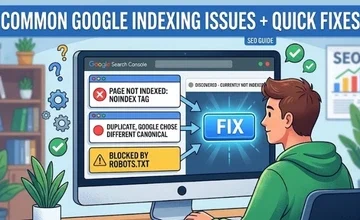
Here’s what a typical fix looks like.

The Results:
- 140% increase in organic traffic within 2 Months
- Multiple pages ranking on top
- Readers spent more time on each article
- Bounce rate dropped by 35%
This kind of result is common when on-page SEO is applied consistently, and clarity and user experience improve together.
Common Beginner Mistakes to Avoid
When following On Page SEO, avoid:
- Keyword stuffing
- Using long or confusing URLs
- Forgetting meta descriptions
- Publishing unstructured content
- Not optimizing for mobile
- Ignoring internal links
Avoiding these alone can significantly improve your ranking performance.
For more clarity, you can also check Google Search Console’s official help page.
How to Rank for Featured Snippets
Featured snippets are the answers you see at the top of Google. Many beginner level queries trigger featured snippets, for example, what is on page SEO. Optimizing for them can bring massive traffic. To optimize for them:
- Answer questions clearly in 40 – 60 words
- Use bullet points and numbered lists
- Add question based headings
- Keep answers simple and direct
Frequently Asked Questions
1. What is On Page SEO for Beginners?
On page SEO refers to optimizing individual web pages to improve their search engine ranking. This means improving the content, keywords, headings, URLs, internal links, and page structure to make pages both search-engine-friendly and genuinely useful to readers.
2. Why is on page SEO crucial?
Beginners can create a solid website foundation with the aid of on page SEO. It increases rankings and traffic by ensuring search engines can properly read your content, and that users can navigate your pages with ease.
3. Which on page SEO elements are most crucial?
The appropriate use of keywords, title tags, meta descriptions, heading tags, high quality content, internal linking, image optimization, and page loading speed are all important components of on page SEO.
4. How often should a keyword appear on a page?
There is no set number. In the title, headings, first 100 words, and throughout the content, keywords should be used organically and without stuffing. Rankings can be harmed by overusing keywords.
5. What part do headings play in On Page SEO for Beginners?
For both users and search engines, headings help organize your content. While H2 and H3 tags help with SEO and divide content into readable sections, the primary keyword should be included in the H1 tag.
6. Do pictures have an impact on on page SEO?
Yes, the user experience and page speed are enhanced by optimized images. Search engines can better comprehend images and increase visibility in image search results when description and alt texts are used.
7. How long does it take for on page SEO to show results?
While on-page SEO improvements can yield results within weeks, long-term ranking gains require regular optimization and high-quality content.
Conclusion
Mastering On Page SEO for Beginners is simpler than you think. You don’t need advanced tools or years of experience, just consistency and the willingness to apply these essential rules.
If your content is well structured, readable, and user-friendly, Google will reward your effort with higher visibility, better rankings, and long term organic traffic growth.