
Installing an SEO plugin is one of the first things almost every WordPress site owner does, and also one of the easiest decisions to get wrong, since switching plugins later means redoing meta titles, schema, and redirects across an entire site.
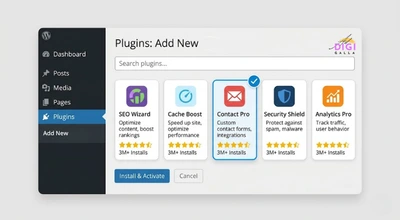
This guide compares the best SEO plugins for WordPress in 2026, what each one costs, and includes a dedicated section on local SEO plugin support specifically, since that is one of the most overlooked differences between these tools.
Why the Right SEO Plugin Still Matters in 2026
A good SEO plugin does not do your SEO for you, it removes the technical friction that would otherwise require manually editing code for every title tag, schema type, and sitemap entry. If you have not already read our guide to what SEO actually is or our on-page SEO guide for beginners, those cover the fundamentals a plugin is designed to help you apply, rather than replace.
The plugin landscape has also shifted meaningfully over the past year. Several plugins restructured their pricing and bundled features that used to be separate paid add-ons, which is exactly why the comparisons below focus on what each plugin includes right now rather than its reputation from a few years ago.
What to Look For in a WordPress SEO Plugin
Before comparing specific plugins, get clear on three things: whether your site is a simple blog, an online store, or a local business with a physical location, since each of those benefits from different built-in features. Also check how generous the free version actually is, and whether the plugin’s pricing scales in a way that makes sense as you add more sites.

It also matters how much the plugin tries to do. Some plugins stay focused purely on technical SEO, while others increasingly bundle AI writing tools, competitor tracking, and content scoring, which can be genuinely useful or just extra weight depending on what you actually need.
Rank Math: Best All-Round Plugin With a Generous Free Tier
We’ve already covered Rank Math’s core setup and pricing in our beginner SEO tools guide. Here we’re focusing specifically on how it stacks up against Yoast, AIOSEO, and other plugins for WordPress users.
Rank Math’s free version includes an unusually large set of features for a free tier, including schema markup, redirect management, and a local SEO module, features several competitors reserve for paid plans. Paid tiers start at €7.99 a month for Pro, moving up to €24.99 a month for Business and €54.99 a month for Agency, based on pricing verified directly against Rank Math’s own pricing page as of July 2026.
This makes Rank Math a strong default choice for most WordPress sites, particularly ones that want advanced features without immediately paying for them.
Yoast SEO: Best for Long-Time WordPress Users Who Want Simplicity
Yoast SEO remains one of the most widely installed WordPress plugins, known for its readability analysis alongside standard SEO checks. Following a mid-2025 simplification of its product lineup, Yoast now centers its paid offering on a single Premium plan priced at $118.80 a year per site, which bundles what used to be separate paid add-ons, including Local SEO, Video SEO, and News SEO, based on pricing confirmed by independent tracking site ThatMarketingBuddy.

This bundling change is worth knowing about specifically, since a fair amount of older content online still describes Yoast’s Local SEO as a separate purchase, which is no longer accurate for new customers.
All in One SEO (AIOSEO): Best for WooCommerce and Author SEO
AIOSEO is the oldest plugin on this list, first launched in 2007, and has leaned heavily into e-commerce and author-level schema in recent years. Its free version covers basic titles, sitemaps, and schema, while paid plans start at roughly $49.60 a year for a single site in the first year, renewing near $99, with the Plus plan at $99.50 a year covering three sites, based on pricing tracked by CheckThat.ai and corroborated by a detailed AIOSEO review from HostKey.
For an online store, AIOSEO’s built-in WooCommerce schema and Author SEO module, which adds structured author data to support Google’s E-E-A-T signals, are genuine differentiators most competitors handle less directly.
SEOPress: Best Budget-Friendly, No-Nonsense Option
SEOPress positions itself as a straightforward, no-upsell alternative, with a genuinely capable free plan that includes unlimited keyword content analysis, unusual for a free tier, though local SEO features like LocalBusiness schema are reserved for the paid PRO plan. Its PRO plan is priced at $49 a year for a single site, $59 a year for five sites, or $149 a year for unlimited sites, according to SEOPress’s own official pricing FAQ.
Its per-site pricing at low volumes and flat unlimited-site tier make it a particularly strong option for agencies or freelancers managing several small client sites without wanting to pay per site indefinitely.
The SEO Framework: Best Lightweight, Privacy-Focused Option
The SEO Framework takes a deliberately different approach, its core plugin is genuinely free and complete for basic SEO, with additional functionality available through optional paid extensions rather than a single locked Premium tier. Its Pro extension bundle is priced at roughly $7 a month for two sites, scaling up through Business and Agency tiers, according to The SEO Framework’s own official pricing page.

It also includes a dedicated Local extension for business information, and markets itself specifically on having no ads, tracking, or upsell nags, which appeals to site owners who find other plugins’ dashboards cluttered or pushy.
Best Local SEO Plugin for WordPress: A Dedicated Comparison
Local SEO support varies more between these plugins than almost any other feature, and it is easy to end up paying for a tier you did not need, or missing a feature you actually did need, if you do not check this specifically.
Rank Math includes its Local SEO module in the free version, covering LocalBusiness schema, NAP details, business hours, a Google Maps embed, and support for multiple locations. For most small, single or multi-location businesses, this means you get real local SEO functionality without paying anything at all.
All in One SEO gates its Local SEO module behind the Plus plan and higher, roughly $99.50 a year for three sites. It covers similar ground, NAP schema and multi-location support, and pairs it with strong author and review schema if your local business also relies on customer reviews.
Yoast SEO now includes Local SEO as part of its single Premium plan at $118.80 a year, a change from its previous model of selling Local SEO as a separate paid add-on. If you are already paying for Yoast Premium for other reasons, local SEO now comes along for the ride.
The SEO Framework offers a dedicated Local extension as part of its paid extension bundle, giving you local business schema without needing the plugin’s full content-optimization features if that is the only premium feature you actually want.
SEOPress also includes built-in local SEO features, LocalBusiness schema, a Local Business widget and block, Google Maps optimization, and support for multiple locations, but only on the paid PRO plan, according to SEOPress’s own official local SEO feature page. The free version does not include this.
For a local business specifically, this comparison changes the calculus: Rank Math’s free local SEO module makes it hard to beat on cost, while AIOSEO’s Plus plan is worth considering if you also want its author and review schema working alongside local SEO in one place, and SEOPress is a reasonable middle ground if you are already leaning toward it for its flat, predictable multi-site pricing.
Best SEO Plugins for WordPress: A Side-by-Side Snapshot
If you are choosing quickly, the shorthand version looks like this: pick Rank Math if you want the most generous free tier, including local SEO. Pick Yoast if you value simplicity and are comfortable paying for a single bundled Premium plan. Pick AIOSEO if you run a WooCommerce store or want strong author schema. Pick SEOPress if you manage several small sites and want predictable, low per-site pricing. Pick The SEO Framework if you want the lightest possible plugin with no ads or tracking.
None of these is objectively the best SEO plugin for WordPress in every case. The right one depends on your site type, budget, and whether local SEO or e-commerce features matter most to you specifically.
A Hypothetical Example: Choosing a Plugin for a Multi-Location Business
To make this concrete, here is a hypothetical example based on patterns commonly seen in this kind of decision, not a real client case.

Imagine a small chain of three clinics in the same city, each with its own address, hours, and phone number. The business had been using a generic SEO plugin’s free version, but none of its three locations were showing up clearly in local search results, since there was no proper LocalBusiness schema for each individual clinic.
A typical fix here would start by switching to a plugin with genuine multi-location local SEO support, setting up separate LocalBusiness schema for each clinic with accurate NAP details and a map embed for each address. A business in this position would typically expect local visibility to improve as Google recrawls and re-indexes the updated schema, though the exact timeline depends on how frequently Google revisits the site and how competitive local search is in that city. This is illustrative only, and actual results depend on your specific business and market.
Common Mistakes When Choosing or Switching SEO Plugins

Running two SEO plugins at once. Having Yoast and Rank Math both active, for example, can cause duplicate schema markup and conflicting meta tags, which confuses search engines rather than helping them.
Switching plugins without a proper migration. Meta titles, descriptions, and redirects built up in one plugin do not automatically transfer to another unless you use a proper import tool or migrate the data manually first.
Choosing a plugin based on its reputation from a few years ago. As this guide shows, pricing and bundled features have changed meaningfully across several of these plugins in just the past year, so it is worth checking current details rather than relying on an old comparison article, including older versions of ones like this.
Frequently Asked Questions
- What are the best SEO plugins for WordPress in 2026?
Rank Math, Yoast SEO, All in One SEO, SEOPress, and The SEO Framework are the most widely used options. Rank Math suits most sites wanting a generous free tier, Yoast suits users wanting simplicity, AIOSEO suits WooCommerce stores, SEOPress suits agencies managing multiple sites, and The SEO Framework suits users who want the lightest possible plugin.
- What is the best local SEO plugin for WordPress?
Rank Math’s free Local SEO module is the strongest option if budget matters, since it includes LocalBusiness schema and multi-location support at no cost. AIOSEO’s Plus plan and Yoast’s Premium plan both include comparable local SEO features if you are already using those plugins for other reasons.
- Is a free SEO plugin good enough, or do I need a paid one?
For many small WordPress sites, a free plugin covers the essentials well, particularly Rank Math’s free tier. A paid upgrade becomes worth considering once you need features like advanced schema, redirect management at scale, or specific modules like local SEO on plugins that gate it behind a paid plan.
- Can I use more than one SEO plugin at the same time?
No, running two full SEO plugins simultaneously usually causes conflicts, like duplicate schema or meta tag overrides. Pick one primary SEO plugin per site.
- Is it hard to switch from one SEO plugin to another?
It takes some care but is usually manageable. Several plugins, including The SEO Framework and Rank Math, offer built-in migration tools to import settings from competitors, though it is worth reviewing the imported data manually afterward to confirm nothing was lost.
Final Thoughts
The best SEO plugin for WordPress is rarely the one with the longest feature list. It is the one that matches your site type, whether that is a simple blog, an online store, or a local business with a physical address, without forcing you to pay for features you will never use.
If you want help setting up your SEO plugin correctly or auditing your current setup, DigiAdGalla works with businesses across Delhi NCR on the full technical and content picture. You can see our search engine optimization services or get in touch to talk through what your site specifically needs.