
If visitors on the other side of the world are waiting several extra seconds for your WordPress site to load, that delay alone can be costing you traffic, sales, and rankings, and a CDN is usually the fastest way to fix it.

This guide compares the best CDN for WordPress use in 2026, what each option actually costs, and how difficult each one is to set up, so you can pick without guessing.
What a CDN Actually Does for a WordPress Site
A content delivery network stores cached copies of your site’s static files, images, CSS, and JavaScript, on servers spread around the world. When a visitor loads your page, those files get served from whichever server is physically closest to them instead of traveling all the way back to your original hosting server.
For a WordPress site with visitors outside your hosting region, this can meaningfully cut load time and improve Core Web Vitals scores. If you have not already read our full breakdown of what those thresholds are and why they matter, the page experience section of our SEO guide covers it in detail.
What to Check Before You Compare Any CDN
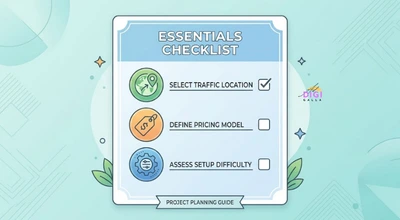
Before picking a CDN, get clear on three things: where most of your traffic actually comes from, whether you want a flat monthly plan or usage-based pricing, and how comfortable you are with manual configuration versus a plug-and-play setup.
It also helps to know whether you need a CDN alone or a CDN bundled with security features like a web application firewall, since that changes which options are actually worth comparing.
Cloudflare: Best Free Starting Point
Cloudflare’s free plan gives most WordPress sites a genuine performance boost with unmetered DDoS protection and a large global network at no cost. Its paid Pro tier, which adds image optimization and more advanced caching controls, is priced at $20 a month when billed annually, according to a detailed Cloudflare pricing breakdown by Wise.
For most small to mid-sized WordPress sites, Cloudflare’s free tier is a reasonable place to start before evaluating whether a paid upgrade or a different provider is actually necessary.
Bunny CDN: Best Value for Growing Sites
Bunny CDN prices itself on straightforward usage-based billing, starting at $0.01 per GB in North America and Europe, according to Bunny CDN’s own pricing page, which makes it one of the least expensive options for sites with meaningful traffic. There is no permanent free plan, but the entry cost is low enough that most small WordPress sites pay only a few dollars a month.
It also has a dedicated WordPress plugin, which keeps setup relatively simple despite being a more developer-oriented platform underneath.
KeyCDN: Best for Developers Who Want Control
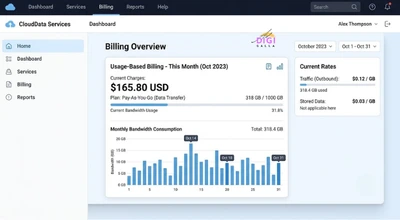
KeyCDN uses a pay-as-you-go model starting at $0.04 per GB for North America and Europe, with a $4 monthly minimum, according to KeyCDN’s own pricing page. It includes WordPress-specific integrations alongside a clean API for anyone who wants finer control over caching behavior.
This tool suits site owners or developers who are comfortable configuring a CDN manually rather than relying on a fully managed, one-click setup.
Sucuri: Best When You Also Need a Firewall
Sucuri bundles a CDN with a web application firewall and malware protection. Its plans have historically started under $10 a month for firewall-and-CDN-only coverage, with full security platform plans that include ongoing malware cleanup running considerably higher, though this is worth confirming directly given how often Sucuri’s tiers and pricing have changed.
The trade-off is that you are paying for security as much as speed, which makes sense if your site has been targeted before or handles sensitive customer data, but is more than most low-risk brochure sites need.
RocketCDN: Best for WP Rocket Users Who Want Simplicity
RocketCDN, built by the same team behind the WP Rocket caching plugin, costs $7.99 a month per domain for existing WP Rocket customers, according to WP Rocket’s own presales documentation. It is designed to integrate directly into the WP Rocket dashboard with minimal configuration.
This makes it a natural fit if you are already using WP Rocket for caching and want a CDN that requires almost no separate setup, even though it is not necessarily the cheapest CDN option on the market.
Amazon CloudFront: Best for Sites Already on AWS
CloudFront prices per GB delivered on its traditional pay-as-you-go model, starting at $0.085 per GB in North America and Europe and dropping at higher volumes, according to AWS’s own CloudFront pricing page. AWS also launched simpler flat-rate plans in November 2025, priced at Free, $15 a month for Pro, $200 a month for Business, and $1,000 a month for Premium, confirmed directly on AWS’s own networking blog, which bundle a fixed amount of bandwidth with WAF and DDoS protection for a more predictable bill. Either way, it integrates naturally with other AWS services like S3 for media storage. It is a stronger fit for WordPress sites already running on AWS infrastructure than for a typical shared or managed WordPress host.
For most small business WordPress sites without existing AWS infrastructure, the setup overhead here is harder to justify than the simpler, WordPress-specific options above.
Best CDN for WordPress: A Side-by-Side Snapshot
If you are choosing quickly, the shorthand version looks like this: pick Cloudflare if you want the best free starting point, Bunny CDN if you want the lowest cost as traffic grows, KeyCDN if you want developer-level control, Sucuri if you also need a firewall, RocketCDN if you already use WP Rocket and want simplicity, and CloudFront if your site already lives inside AWS.
None of these is objectively the best CDN for WordPress use in every case. The right one depends on where your traffic comes from, how much manual setup you are willing to do, and whether security features matter as much as raw speed.
A Hypothetical Example: Adding a CDN to a Slow Site
To make this concrete, here is a hypothetical example based on patterns commonly seen in this kind of setup, not a real client case.
Imagine a WordPress blog hosted on a single server in India that had started attracting a meaningful share of readers from Europe and North America. Local visitors saw fast load times, but international visitors regularly waited several extra seconds for the page to fully load, and bounce rates from those regions were noticeably higher than from local traffic.
A typical fix here would start with Cloudflare’s free plan, since it requires no code changes and can usually be set up within an hour through a DNS update. A business in this position would typically expect load times for international visitors to improve immediately once the CDN starts caching properly, though the exact improvement depends on how far those visitors are from the nearest CDN node and how much of the page’s weight comes from cacheable static files versus dynamic content. This is illustrative only, and actual results depend on your specific hosting setup and traffic mix.
Common Mistakes When Setting Up a WordPress CDN
Assuming a CDN alone will fix a slow site. A CDN speeds up how static files are delivered, but it does not fix a bloated theme, unoptimized images, or a slow database, those need to be addressed separately.
Forgetting to purge the cache after updates. Visitors can keep seeing an outdated version of a page if the CDN cache is not cleared after you publish changes, which is easy to miss until someone points it out.
Choosing based on price alone without checking WordPress compatibility. A CDN with a dedicated WordPress plugin or clear setup documentation saves real time compared to one that requires manual configuration for a platform it was not built with in mind.
Frequently Asked Questions
- What is the best CDN for WordPress in 2026?
There is no single best option for every site. Cloudflare suits most sites wanting a free starting point, Bunny CDN suits sites wanting the lowest ongoing cost, KeyCDN suits developers wanting control, Sucuri suits sites that also need a firewall, RocketCDN suits existing WP Rocket users, and CloudFront suits sites already on AWS.
- Is a free CDN good enough for a small WordPress site?
For many small to mid-sized sites, yes. Cloudflare’s free plan in particular covers core caching and security needs well, and a paid upgrade or a different provider is often only necessary once traffic, security requirements, or advanced caching needs grow.
- Does a CDN actually improve Core Web Vitals scores?
It can, particularly for visitors located far from your hosting server, since a CDN reduces the physical distance data has to travel. It will not fix underlying issues like unoptimized images or excessive JavaScript on its own.
- How much does a CDN cost for a small WordPress site?
Costs vary widely by pricing model. Usage-based CDNs like Bunny CDN and KeyCDN often cost just a few dollars a month for a small site, while flat-rate or security-bundled options can run $10 to $20 or more a month.
- Do I need a CDN if my WordPress hosting already includes one?
Many managed WordPress hosts, including some already covered in our guide to WordPress hosting, bundle a basic CDN like Cloudflare into their plans. It is worth checking what your host already includes before paying for a separate CDN service.
Final Thoughts
The best CDN for WordPress use is rarely the most expensive or most feature-heavy one. It is the one that matches where your traffic actually comes from, fits the amount of setup effort you are willing to put in, and is priced in a way that will not surprise you as your site grows.
If you want help auditing your WordPress site’s speed and technical setup, DigiAdGalla works with businesses across Delhi NCR on the full technical picture alongside SEO and content. You can see our website development services or get in touch to talk through what your specific site needs.